Download your certificate
When the organizer links a certificate to an evaluation, you get the certificate by answering that evaluation.
Where to download it
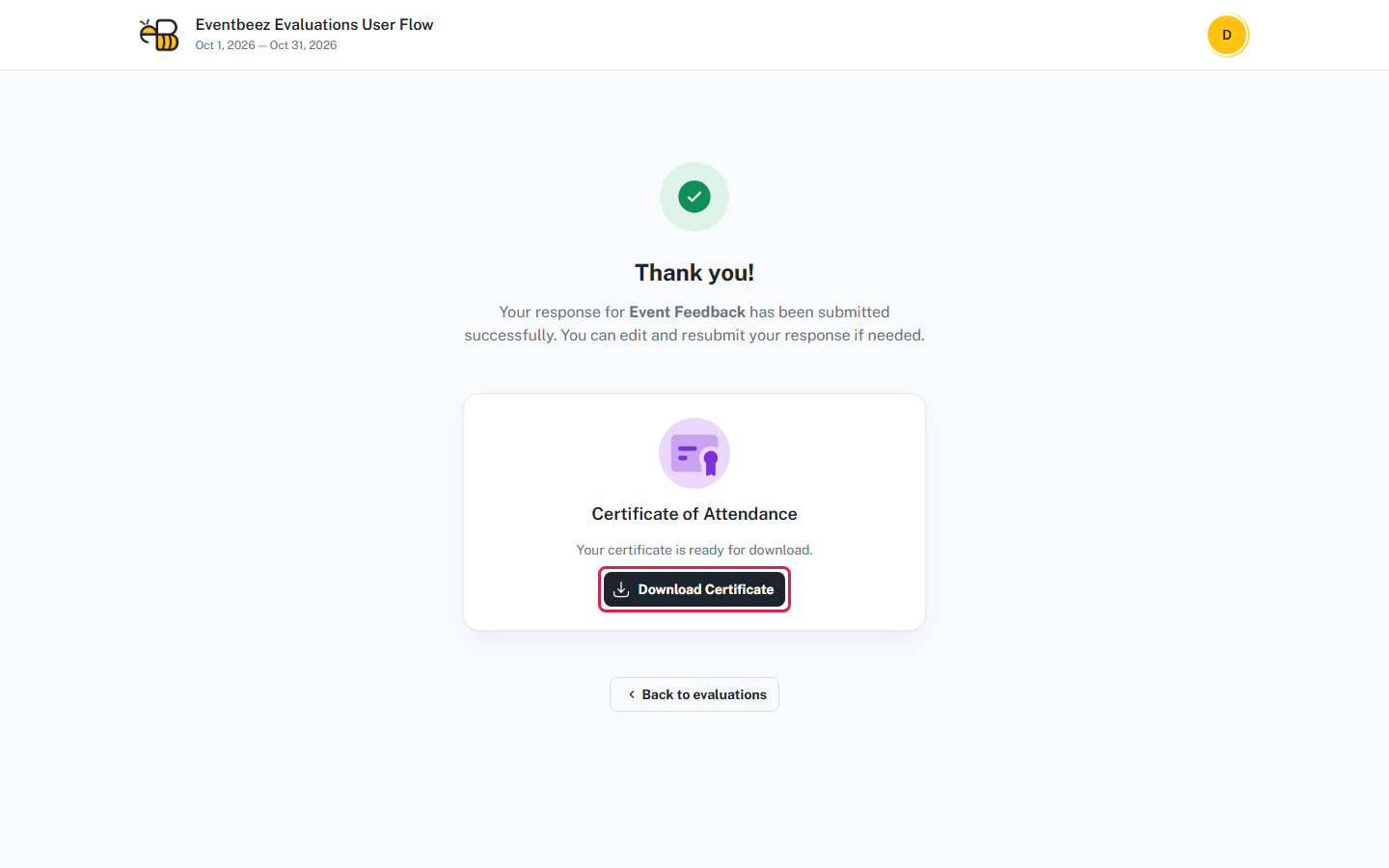
In the attendee portal, the certificate is inside the evaluation:
- Straight after submitting, on the Thank you! page: click Download Certificate.
- Any time later: open the evaluation from Evaluations and click Download on the certificate box at the top.
You'll see "Preparing your certificate...", then "Certificate downloaded". The PDF is saved with your name on it.
In the EventBeez mobile app, certificates are under the Certificates tile.
The name on the certificate
The certificate uses your certificate name. To change it, update the Name in your profile in the attendee portal before you download.
Why there's no certificate
| Situation | Why |
|---|---|
| No certificate box after submitting | The evaluation isn't linked to a certificate, or the certificate is still a draft. Ask the organizer. |
| Some required questions aren't answered yet | The certificate needs every required question answered. This can happen if you answered only some groups in the mobile app. Answer the rest in the app or the attendee portal. |
| "Failed to download certificate" | The certificate isn't meant for your role or package, or it needs event attendance you don't have. Ask the organizer. |
| You can't see the evaluation at all | See Who sees an evaluation and when. |