Track your status and results
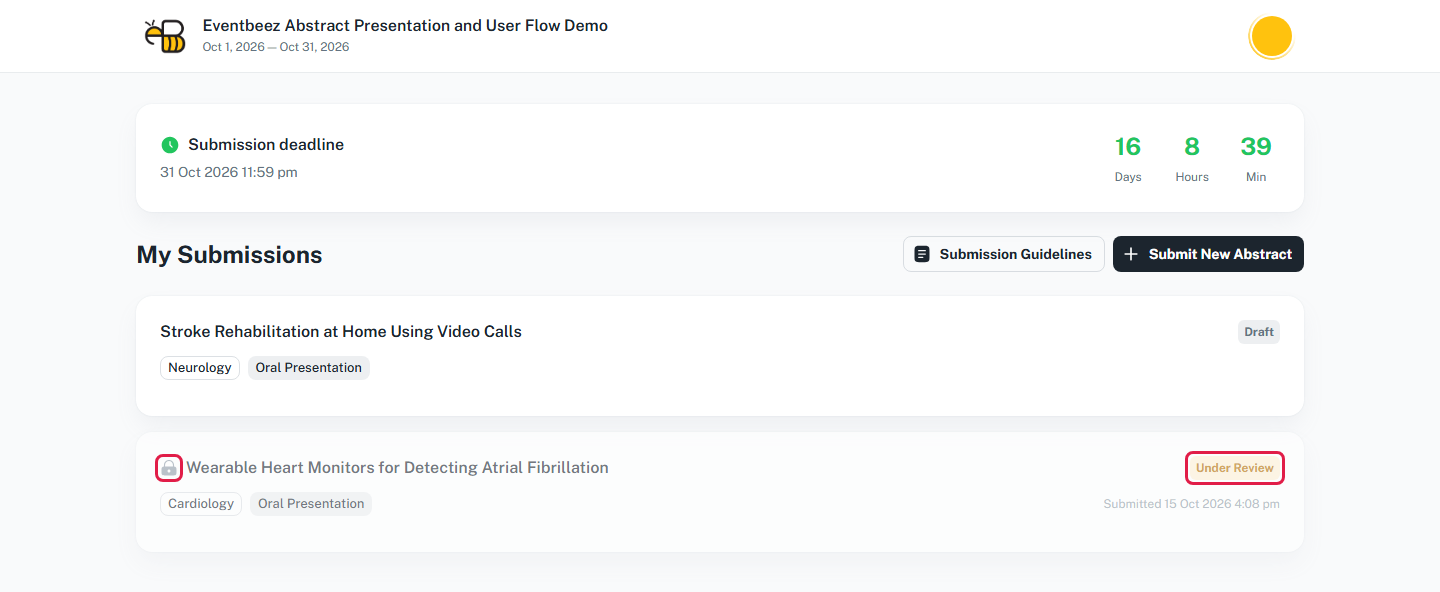
Abstracts > My Submissions lists your abstracts with their status, topic, presentation type and submission date. Click one to see it in full.
What your status means
| Status | Meaning |
|---|---|
| Draft | You haven't submitted it yet. Open it and finish the steps. |
| Submitted | Received. No reviewer has reviewed it yet, and you can still edit it. |
| Under Review | At least one reviewer has reviewed it, so it's locked. It may already be decided: decisions stay hidden until the organizer publishes results. |
| Accepted | Congratulations. You can see your score and the reviewers' comments. |
| Rejected | Not accepted. Scores and comments aren't shown. |
| Waiting List | You're on the waiting list. Scores and comments aren't shown. |
A lock icon means you can't edit the abstract any more.
When will I see my result?
When the organizer publishes results. A green Results are now visible card then appears at the top of My Submissions, and you'll get an email.
- Accepted: a Reviews section shows your average score out of 10 and each reviewer's score and comment. Reviewers appear as "Reviewer 1", "Reviewer 2", and so on if the organizer uses blind review.
- Rejected or waitlisted: you see the decision only, with no score or comments.
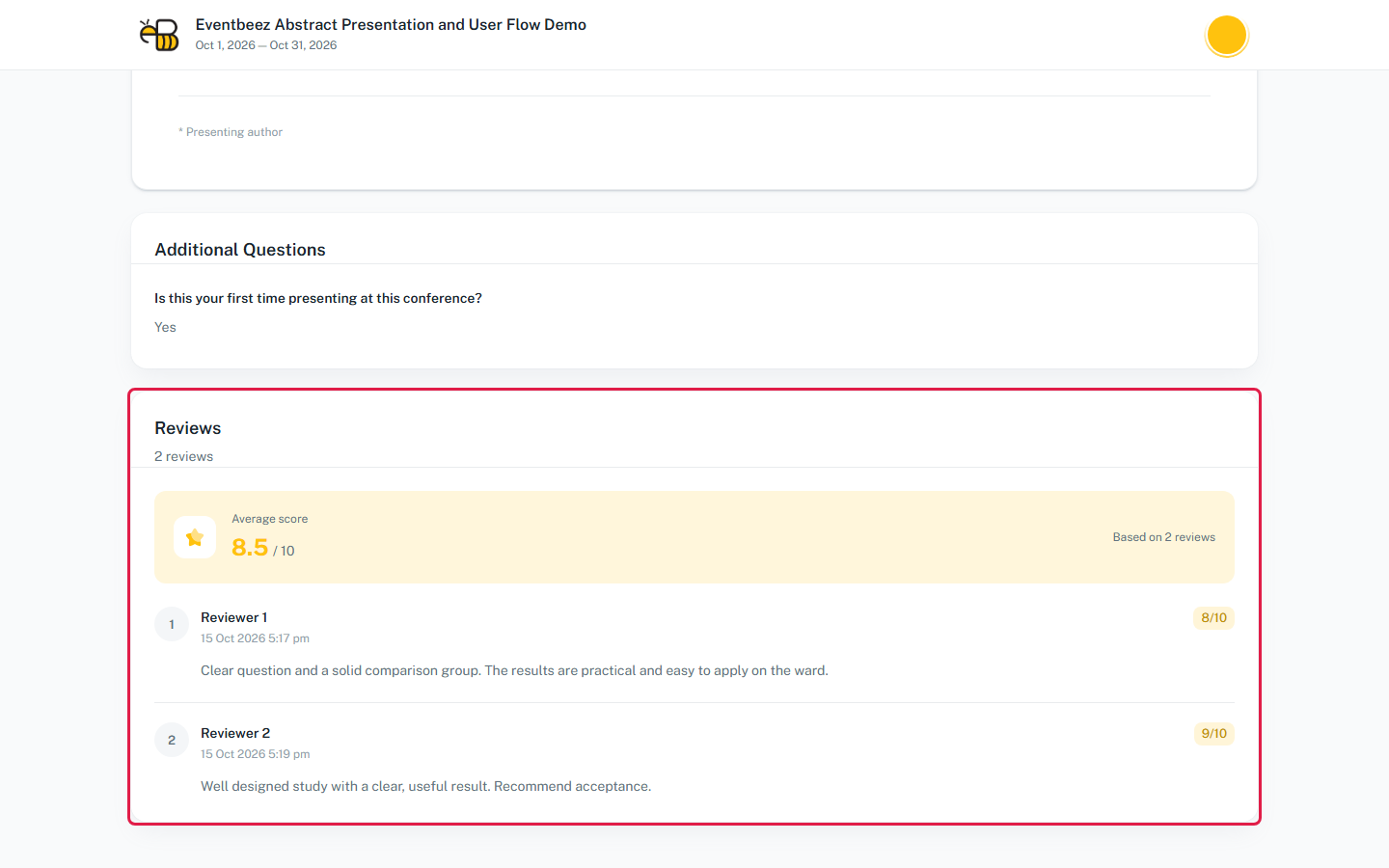
Full details: Results and score visibility.
After you're accepted
- You become an Abstract Presenter for the event.
- If you weren't registered for the event yet, you're registered automatically in the organizer's presenter package. On a paid event you'll see Payment required with a Pay now button. Complete the payment to confirm your registration.
- You can upload your poster.