Sign in or create an account
Use the attendee portal link for the event. Every address starts with the event's short name, for example …/your-event/auth/sign-in.
If you're already registered for the event
Sign in with your email or reference number and your password. Then click the Abstracts card on your home page.
If you're attending the event, use your existing login. Registering again with the same email fails with "You are already registered as an event attendee for this event."
If you're only submitting an abstract
- On the sign-in page, click Sign up now.
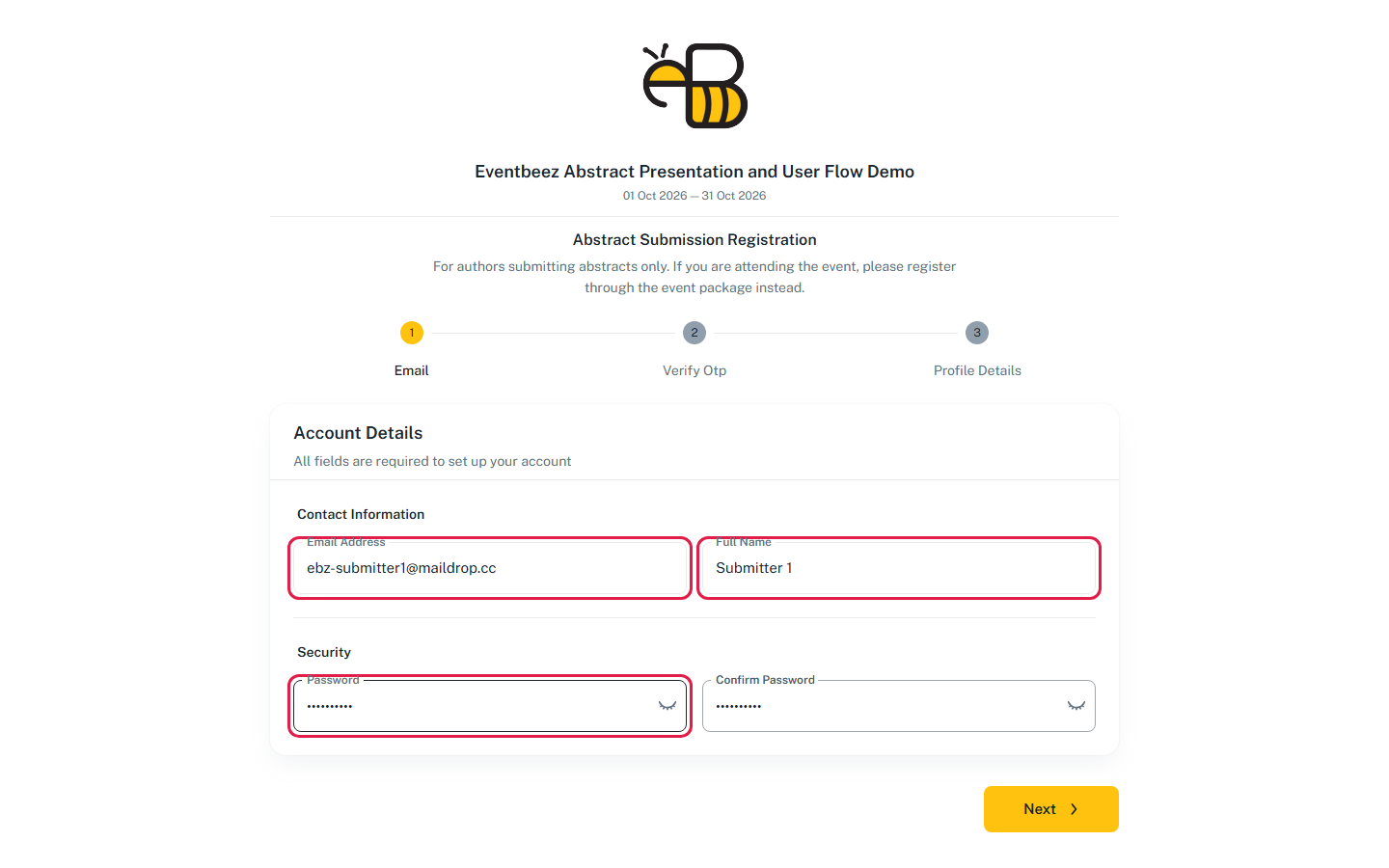
- Under Abstract Submission Registration, enter your Email Address, Full Name and a Password, and confirm the password. The password needs at least 6 characters, including an uppercase letter, a lowercase letter, a number and a special character such as
@or!. - Click Next. We'll email you a 4-digit code. Check your spam folder if it doesn't arrive. You can Resend it after 60 seconds.
- Enter the code and click Verify.
- Fill in your profile, or skip it for now.
You can only register while the organizer has abstract submission enabled. Otherwise you'll see "Abstract submissions are not open for this event."
Reviewers
If the organizer made you a reviewer for this event, signing in takes you to the reviewer area, and you can't submit abstracts to the same event. See Review an abstract.
Can't find Abstracts on your home page?
The Abstracts card only shows when the event uses abstracts and your account is an attendee, an abstract submitter or a reviewer for this event. Check that you signed in to the right event's portal.