Submitters and emails
All submitters
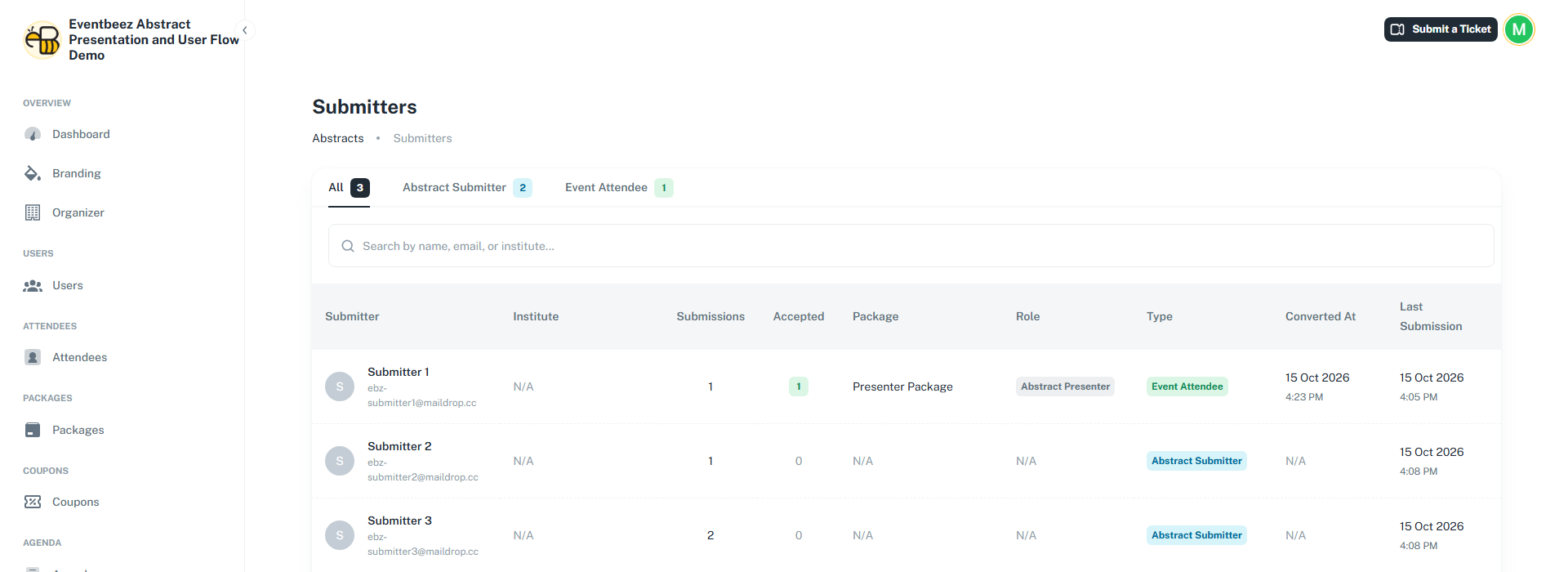
Abstracts > All submitters lists everyone who has an abstract account.
- Type – Abstract Submitter (abstract-only account) or Event Attendee (registered for the event).
- Role – Abstract Presenter once they've been made a presenter, otherwise Delegate.
- Converted At – when an abstract-only account was registered as an attendee at publishing.
- Their package, how many abstracts they submitted, how many were accepted, and their last submission.
Automatic emails
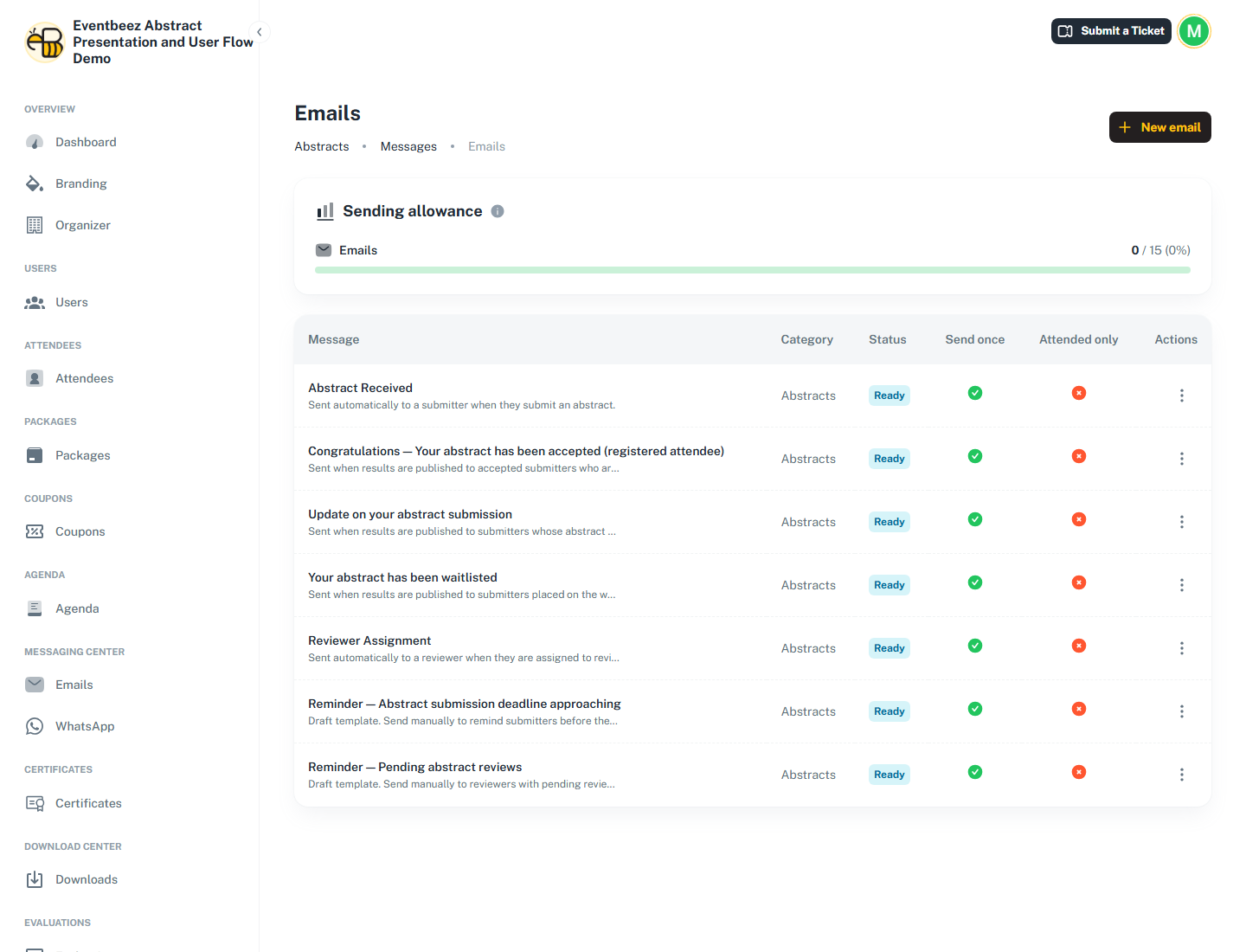
All abstract emails are emails only, and they're listed under Abstracts > Emails, where you can edit them. Nothing is sent if the event's messaging is switched off.
| Sent when | To | |
|---|---|---|
| Abstract Received | An author submits, including every time they re-submit after editing | The author |
| Reviewer Assignment | A reviewer is added to a topic | The reviewer |
| Congratulations – accepted | Results are published, or a single decision changes to accepted afterwards | Accepted authors (two versions: newly registered with payment, and already registered) |
| Update on your abstract submission | Same | Rejected authors |
| Your abstract has been waitlisted | Same | Waitlisted authors |
| Reminder – submission deadline approaching | Only when you send it | You choose |
| Reminder – pending abstract reviews | Only when you send it | You choose |
Placeholders you can use include {{abstract_title}}, {{abstract_topic}}, {{abstract_presentation_type}}, {{abstract_status}}, {{abstract_score}}, {{abstract_ref_number}}, {{submission_deadline}}, {{review_start_deadline}}, {{review_end_deadline}}, {{submitter_portal_link}}, {{reviewer_portal_link}}, {{reviewer_name}}, {{pending_review_count}}, {{package_name}}, {{package_price}}, {{payment_link}} and {{payment_deadline}}.
Co-authors never get emails, because they have no account.