Reviewers and review settings
Go to Abstracts > Review settings. Everything on this page is saved with Save Changes, except Results visibility, which has its own button (see Publish results).
Step 1 – Give people the Abstract Reviewer role
You can only assign someone as a reviewer if they are registered as an attendee of this event and have the Abstract Reviewer role.
- Go to Attendees, open the menu at the end of the person's row and choose Edit.
- Under Roles, tick Abstract Reviewer.
- Click Update.
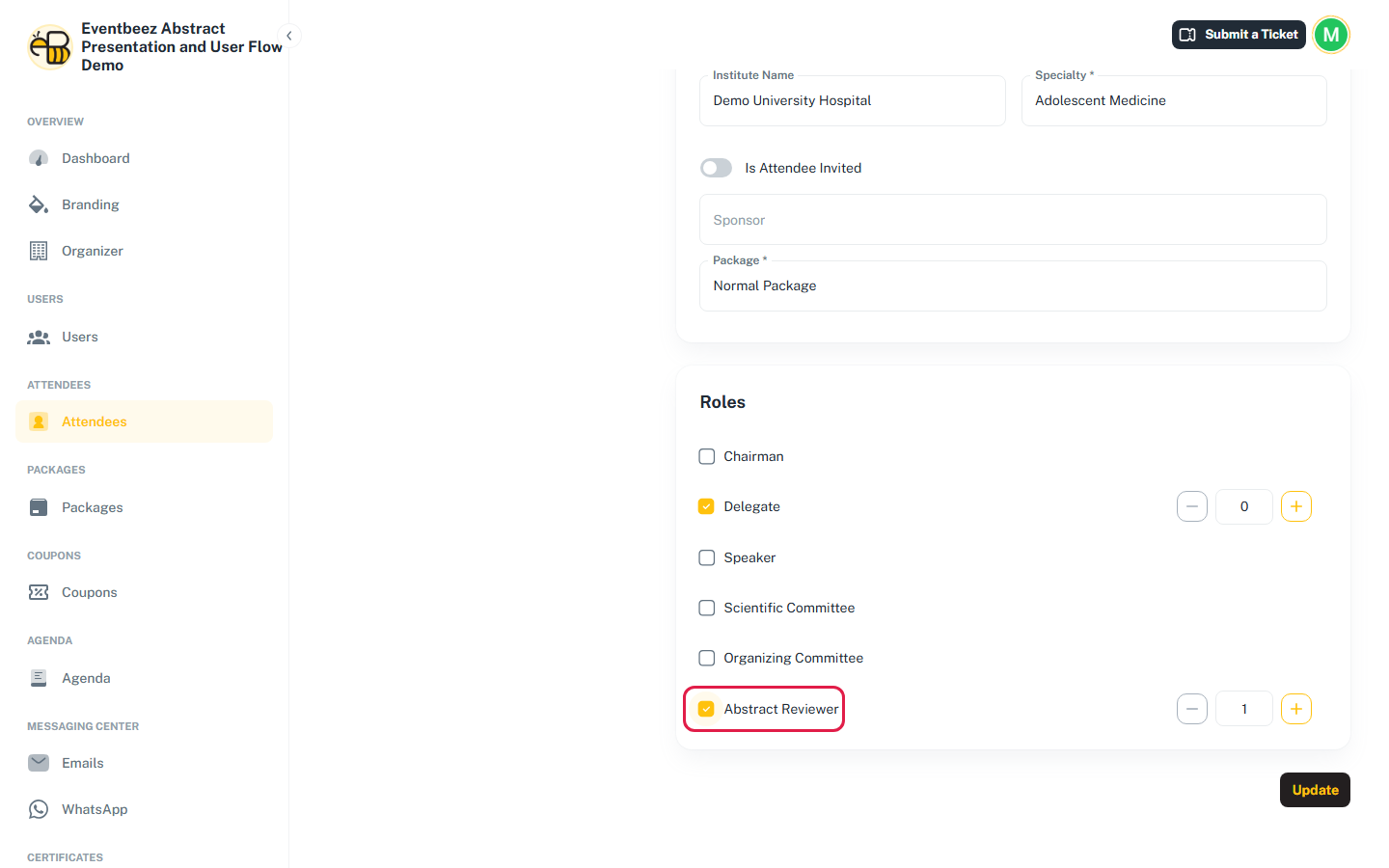
Someone with the Abstract Reviewer role can't create abstracts in the same event ("Abstract reviewers cannot submit abstracts in the same event."). When they sign in to the attendee portal they only get the reviewer area.
Step 2 – Assign reviewers to topics
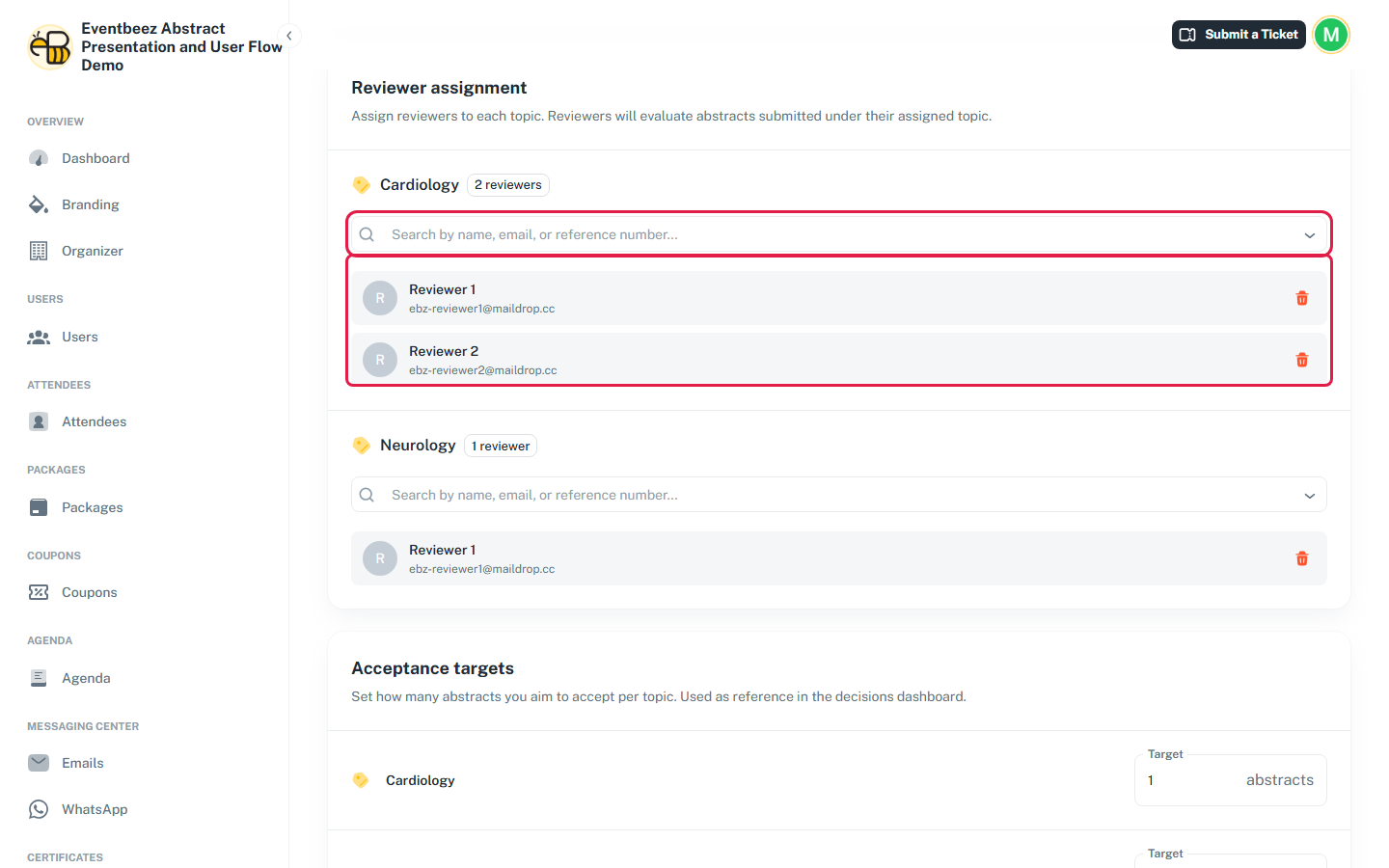
Under Reviewer assignment, each topic has a search box. Type a name, email or reference number and pick the person. Only people with the Abstract Reviewer role appear.
How assignment works:
- Every reviewer of a topic reviews every submitted abstract in that topic. There's no setting for "number of reviewers per abstract".
- Abstracts are assigned when they're submitted. Drafts are never assigned.
- Every topic needs at least one reviewer, or you can't save the page.
- Newly assigned reviewers get the Reviewer Assignment email.
A reviewer you add to a topic later gets a pending review for every abstract already in that topic, including decided ones. Those abstracts count as not fully reviewed again, and you can't decide or re-decide them until the new reviewer has reviewed them.
Removing a reviewer:
- If they haven't reviewed anything in the topic yet, their pending reviews are removed with them.
- If they've already submitted any review in that topic, you can't remove them ("Cannot remove a reviewer who has already submitted reviews.").
Review deadline
Turn on Review deadline to limit reviewing to a Start date and End date, in the event's time zone.
- Off (default): reviewers can submit reviews at any time.
- On: before the start, reviewers can read abstracts but not review them. From the end time on, reviewing is closed.
Acceptance targets
For each topic, set how many abstracts you'd like to accept. Leave it empty for no target. Targets only feed the progress bar on the Decisions tab. They're never enforced, so you can accept more than the target.
Blind review
Blind review is on by default. When it's on:
- reviewers can't see each other's reviews or scores for the same abstract;
- authors see their reviewers as Reviewer 1, Reviewer 2, and so on instead of by name.
When it's off, reviewers see an Other Reviews section with their colleagues' names, scores and comments, and authors of accepted abstracts see the reviewers' names.
Blind review hides reviewers from each other, not authors from reviewers. Reviewers always see the presenting author's name, email and affiliation, and all the co-authors.
Results reminder cutoff
Results reminder cutoff date is a note for your team about when to publish results. Nothing happens automatically on that date.